

A man and woman engaged in conversation in a professional office setting.

New Office IT Setup Checklist for UAE Businesses

Moving into a new office or opening a new branch is exciting, but IT is often left until the last minute. The result is staff who cannot work on day one. Use this checklist to plan your new office IT setup in Dubai, Sharjah or anywhere in the UAE.

8-12 weeks before moving

  • Bring your IT company into the fit-out planning.
  • Order the internet connection and business phone lines early, as installation can take time.
  • Agree the number and location of data points, the network rack and the server or comms room.
  • Decide on your telephone system and CCTV and access control needs.

During the fit-out

  • Install structured cabling before ceilings and partitions close.
  • Fit the network rack, patch panels and UPS.
  • Run cabling for CCTV cameras, access control and Wi-Fi access points.
  • Check air conditioning and power for the comms room.

2-4 weeks before moving

Move week

After the move

  • Update your address and phone details on Google Business Profile and directories.
  • Document the network and keep passwords secure.
  • Put an IT AMC in place so issues are fixed quickly.

One team for your whole office

IT PRO handles complete new office IT setups: cabling, network, Wi-Fi, phones, CCTV, computers and Microsoft 365, with one plan and one point of contact. Call or WhatsApp +971 58 965 7500, email support@it-pro.ae, or send us a message. IT PRO is based in SRTIP Free Zone, Sharjah, and serves businesses and homes across Sharjah, Dubai and the UAE.


IT Support

Structured Cabling Guide: Cat6 vs Cat6A vs Fibre for UAE Offices

Your network is only as reliable as the cables behind it. Poor cabling causes slow connections, dropped calls and faults that are hard to find. This guide explains the main choices when planning structured cabling for an office, warehouse or building in the UAE.

What is structured cabling?

Structured cabling is an organised system of cables, patch panels and network racks that connects every computer, IP phone, CCTV camera, printer and Wi-Fi access point. Instead of cables running directly to each device, everything is terminated in a central rack, labelled and documented, so changes and repairs are quick.

Cat6, Cat6A or fibre?

  • Cat6: the standard choice for most offices. Supports gigabit networks to every desk, phone and camera.
  • Cat6A: supports higher speeds over longer runs and is better shielded against interference. A good choice for new buildings, server rooms and Wi-Fi 6/7 access points.
  • Fibre optic: used for backbones between floors, buildings and server rooms, and for long distances in warehouses and compounds. Immune to electrical interference.

Many projects combine all three: Cat6 or Cat6A to the desks and devices, and fibre between racks.

How many network points do you need?

Plan at least two data points per workstation, plus points for printers, IP phones, CCTV cameras, access control, Wi-Fi access points and meeting room screens. Adding spare points during the fit-out costs far less than adding them later.

Racks, labelling and testing

  • A properly sized network rack with patch panels and cable management
  • UPS power for the rack so the network stays up during short outages
  • Every cable labelled at both ends and recorded on a plan
  • Every point tested before handover

Plan cabling with your fit-out

The best time to install cabling is during the office fit-out, before ceilings and partitions are closed. Bring your IT company in early so cable routes, rack location and power are planned together. See our new office IT setup service.

Get a free cabling survey

IT PRO designs and installs structured cabling, network racks and server rooms in Sharjah, Dubai and across the UAE, ready for IP phones and CCTV. Call or WhatsApp +971 58 965 7500, email support@it-pro.ae, or send us a message. IT PRO is based in SRTIP Free Zone, Sharjah, and serves businesses and homes across Sharjah, Dubai and the UAE.
IP PBX vs Cloud Phone System: Which Is Right for Your UAE Office?

A professional phone system makes your business easy to reach and helps your team handle calls efficiently. For most UAE offices the choice comes down to two options: an on-premise IP PBX or a cloud phone system. Here is how they compare.

What is an IP PBX?

An IP PBX is a phone system installed in your office that runs over your computer network. Each employee gets an extension, and the system handles call transfer, ring groups, voicemail, IVR menus (“press 1 for sales”) and call recording. It connects to your business lines from your telecom provider.

What is a cloud phone system?

A cloud phone system offers the same features, but the PBX is hosted in a data centre instead of your office. You only need IP phones or softphone apps on site, and you usually pay a monthly fee per user.

Side-by-side comparison

  • Upfront cost: an IP PBX needs hardware up front; cloud systems need little hardware but have ongoing monthly fees.
  • Control: an on-premise IP PBX keeps everything in your office; cloud systems are managed by the provider.
  • Multiple branches and remote staff: cloud systems are simple to extend to new locations; an IP PBX can also do this with the right setup.
  • Internet dependence: cloud phones depend on your internet connection; an on-premise PBX keeps internal calls working during an outage.
  • Growth: both scale easily as you add staff.

Features every business should ask for

  • IVR auto-attendant and call queues so no caller is lost
  • Mobile and softphone extensions for staff on the move
  • Voicemail to email
  • Call recording and call reports
  • Integration with your existing business numbers

Which should you choose?

Small offices that want low upfront cost and staff working from different locations often prefer cloud. Businesses with a larger team in one office, a reception or call centre, or a preference for owning their system often choose an IP PBX. The right answer depends on your users, call volume and budget, which is why a short survey is the best first step.

Don’t forget the cabling and network

Clear calls need a good network. Voice traffic should be prioritised (QoS), and every desk needs a data point. If you are moving premises, plan phones together with your structured cabling and new office IT setup.

Talk to IT PRO

We install and support IP PBX, VoIP and business telephone systems for offices in Sharjah, Dubai and across the UAE. Call or WhatsApp +971 58 965 7500, email support@it-pro.ae, or send us a message. IT PRO is based in SRTIP Free Zone, Sharjah, and serves businesses and homes across Sharjah, Dubai and the UAE.

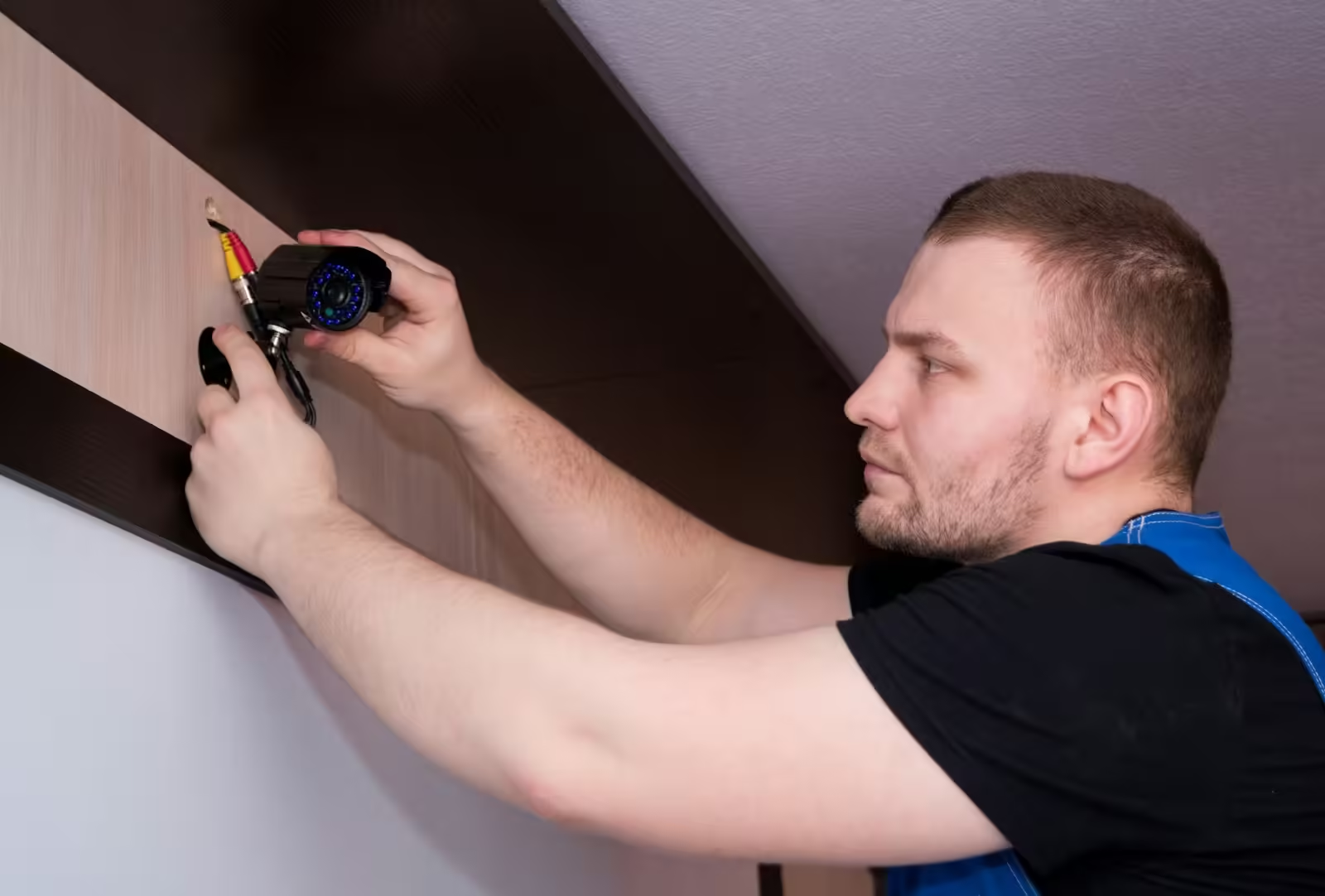
a technician installing Camera

CCTV Installation in Dubai & Sharjah: A Complete Guide for Businesses and Villas

A well-planned CCTV system protects your staff, stock and property, helps settle disputes and gives you peace of mind when you are away. Whether you run an office in Dubai, a warehouse in Sharjah or want cameras for your villa, this guide explains what to consider before you book a CCTV installation.

1. Start with a site survey

Every property is different. A proper site survey identifies entry points, blind spots, lighting conditions and where cables can run. It also tells you how many cameras you really need, so you do not overspend on cameras that cover the same area twice. At IT PRO, the survey and quotation are free.

2. Choose the right camera types

  • Dome cameras for indoor areas such as offices, shops and corridors.
  • Bullet cameras for outdoor walls, gates and car parks, with longer viewing range.
  • PTZ cameras that pan, tilt and zoom to cover large open areas such as warehouses and yards.
  • Night vision cameras with infrared or colour low-light imaging for 24-hour coverage.

IP cameras give much clearer images than older analogue systems and make remote viewing easier, so they are the usual choice for new installations.

3. Plan recording and storage

Cameras record to an NVR (network video recorder) or to the cloud. How many days of footage you keep depends on the number of cameras, their resolution and the hard disk size. Decide how far back you need to look, and ask your installer to size the storage to match.

4. Remote viewing on your phone

Modern systems let you watch live and recorded footage on your mobile from anywhere. Make sure remote access is set up securely, with strong passwords and updated firmware, so your cameras cannot be accessed by anyone else.

5. Add access control and alarms

CCTV works best alongside door access control (card, PIN, fingerprint or face recognition), video intercoms and intruder alarms. Access control can also record staff attendance, which saves time for HR.

6. Do not forget maintenance

Dust, heat and humidity in the UAE affect cameras over time. A CCTV maintenance contract (AMC) covers regular health checks, lens cleaning, firmware updates and fast repairs, so your cameras are recording when it matters.

How to choose a CCTV installer

  • Do they offer a free site survey and a clear, itemised quotation?
  • Do they install neat, labelled cabling and test every camera before handover?
  • Can they connect the system securely to your network and set up mobile viewing?
  • Do they offer maintenance and quick support after installation?

Get a free CCTV site survey

IT PRO installs CCTV and security systems for offices, shops, warehouses and villas, together with structured cabling and network solutions. Call or WhatsApp +971 58 965 7500, email support@it-pro.ae, or send us a message. IT PRO is based in SRTIP Free Zone, Sharjah, and serves businesses and homes across Sharjah, Dubai and the UAE.

Verified by MonsterInsights